
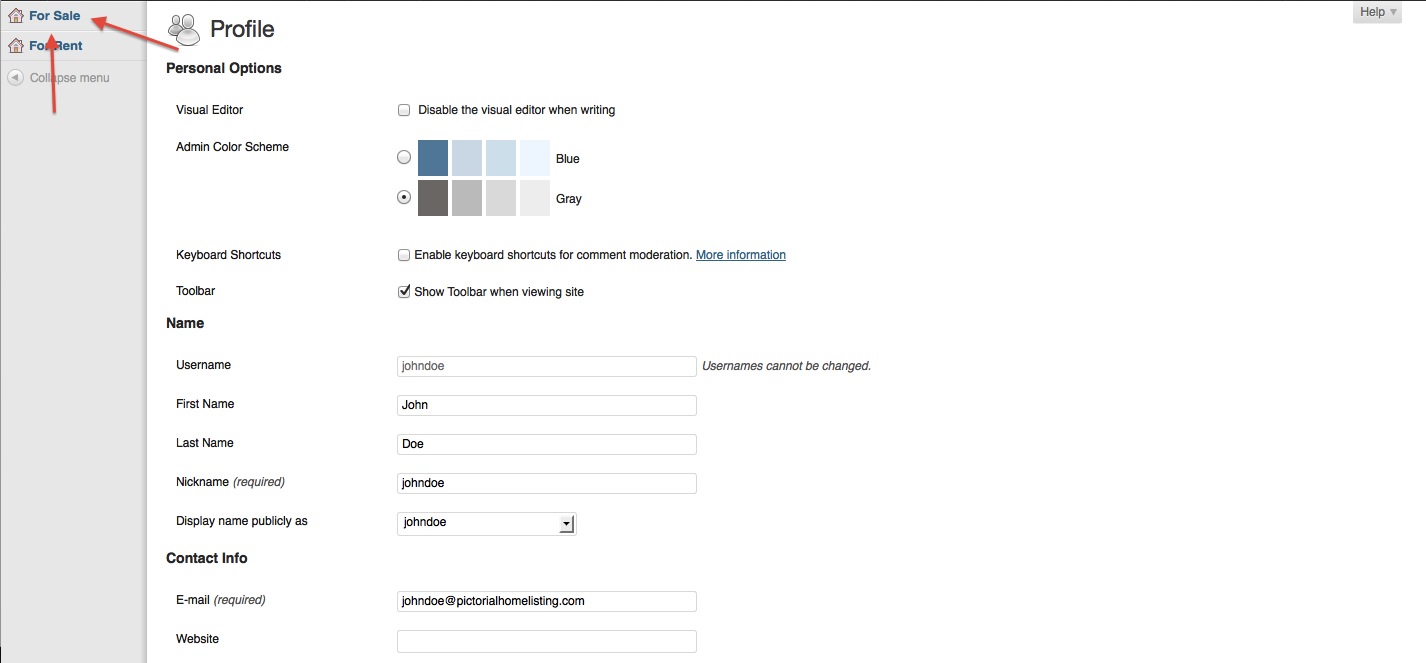
2. On the left sidebar, click on For Sale: Add New
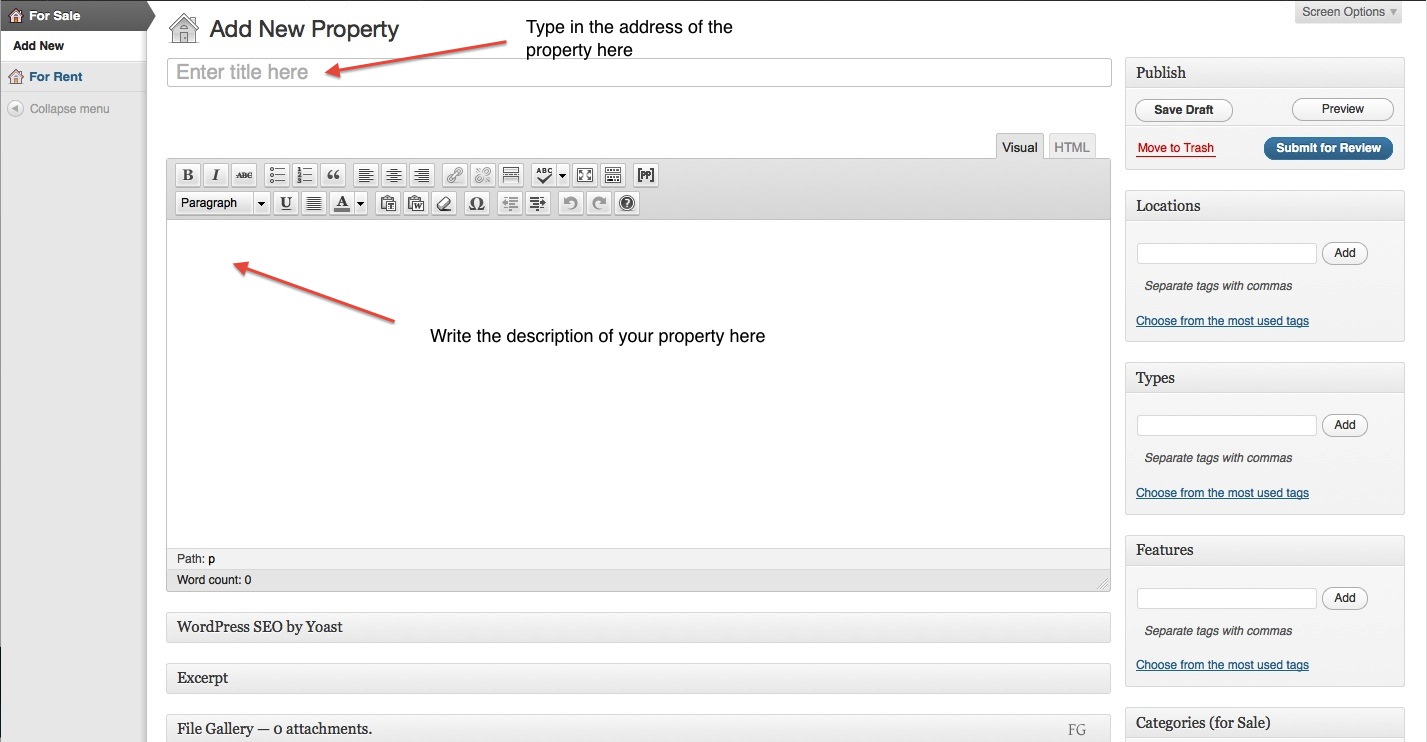
3. Add ONLY the address of the property in the title section.
4. Write your description of the property in the description section.
5. Scroll down and fill all the required information about the property like, asking price, number of bedrooms, bathrooms etc.

6. On the right hand side, you will see options like Features, and Categories.
7. Features is the place where you show off the features of your property. You are advised to add things like cedar decks, in-ground pool, large backyard, open concept kitchen, double garage etc.
8. Categories is where you add the property type, such as Town-home, Single Family home, or Condo etc.

9. Finally, scroll up to see the Submit for Review button on the upper right hand corner. Click on Submit for Review and you are done! We will, then go over your details, check for errors and add your photos and panoramic shots within 24 hours.
